How to Download Facebook Videos on Samsung Galaxy
Samsung Galaxy is the most popular Android phone brand in the world. Millions of people use Samsung Galaxy phones every day and millions of those people want to download Facebook videos to their phones.
Whether you have a Samsung Galaxy S series, A series, M series, or any other Galaxy model, the process is the same and it is incredibly simple.
-
No app installation needed.
-
No complicated settings.
-
No technical knowledge required.
In this complete guide, I will walk you through exactly how to download any Facebook video on your Samsung Galaxy phone step by step, completely free, in under a minute.
Works on All Samsung Galaxy Models
Before we start, here is the good news this method works on every single Samsung Galaxy model including:
-
Samsung Galaxy S25, S24, S23, S22, S21, S20 series
-
Samsung Galaxy A55, A54, A53, A35, A34, A15, A14 series
-
Samsung Galaxy M, Note, and F series
-
Older Galaxy models running Android 8 and above
No matter which Galaxy phone you have, the steps are exactly the same.
What You Need
Just these basics:
-
Your Samsung Galaxy phone
-
Samsung Internet Browser or Chrome (both work perfectly)
-
Internet connection WiFi recommended for faster downloads
-
The Facebook video link
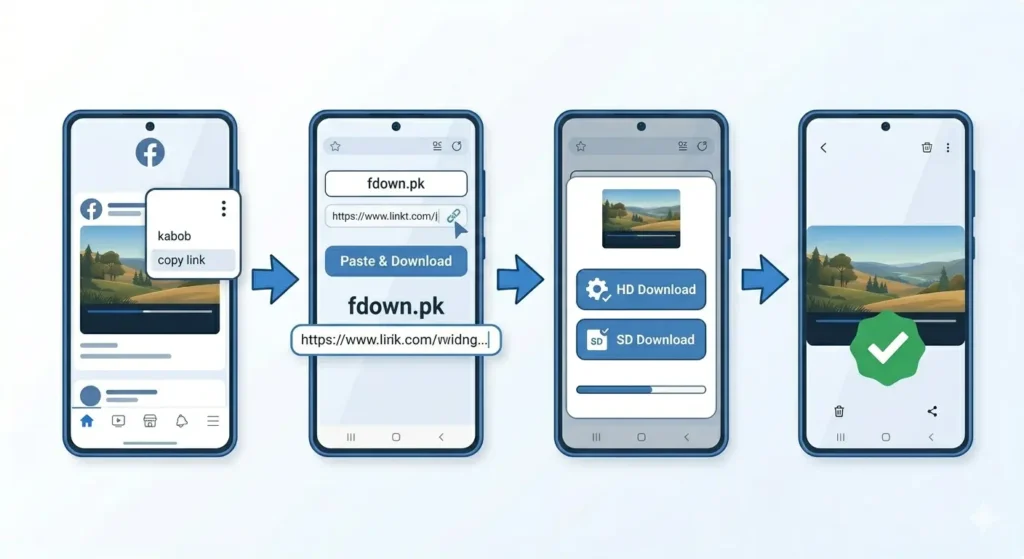
Step by Step: How to Download Facebook Videos on Samsung Galaxy
Step 1: Open Facebook and Find Your Video
Open the Facebook app on your Samsung Galaxy phone. Find the video you want to download. Tap on the video to open it in full view and let it play for a moment to confirm it is the right one.
Step 2: Copy the Video Link
This is the most important step. Follow this exactly:
-
Tap the three dots (…) icon at the top right of the video post.
-
A menu will slide up; tap Copy Link.
-
A notification will say “Link copied.”
Important: Always copy from the three dots menu not from the browser address bar for the most reliable download link.
Step 3: Open Samsung Internet or Chrome Browser
Open your preferred browser and type fdown.pk in the address bar. You will see a clean page with a large text input box.
Step 4: Paste the Facebook Video Link
-
Tap inside the input box on fdown.pk.
-
Long press until the paste option appears.
-
Tap Paste. The link should start with facebook.com or fb.watch.
Step 5: Tap the Download Button
Tap the blue Download button. fdown.pk will process the link (usually takes 3-10 seconds). Once finished, you will see two options:
-
HD Download High quality, larger file.
-
SD Download Standard quality, smaller file.
Step 6: Choose Quality and Save to Galaxy Gallery
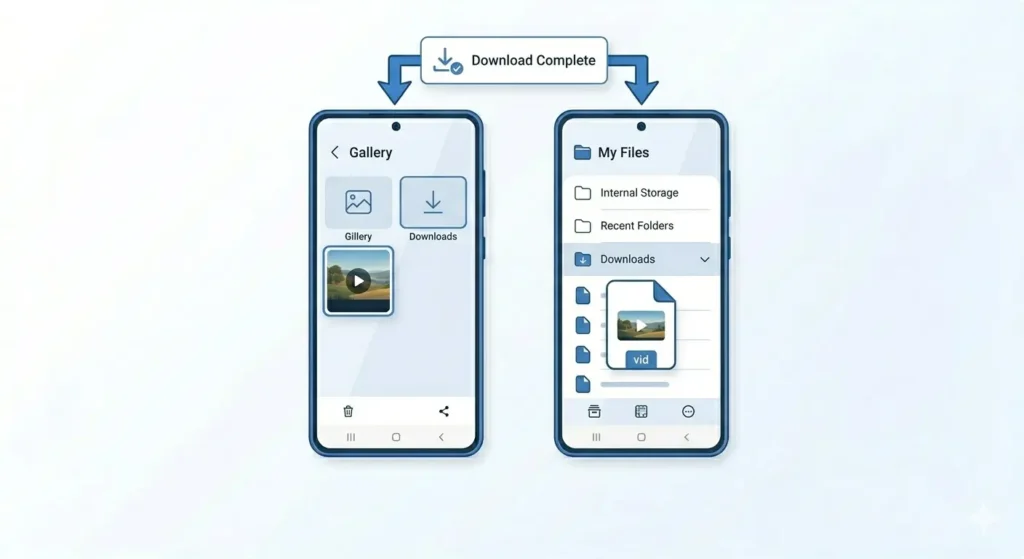
Tap HD Download for the best quality. The video will automatically download to your phone. You can find it in your Gallery app under the “Downloads” album or in the My Files app under Internal Storage → Downloads.
Using Samsung Internet Browser for Downloads
Samsung Galaxy phones have a built-in browser that works excellently for downloads.
Enable Downloads in Samsung Internet
-
Open Samsung Internet > Tap the three lines menu (bottom right).
-
Go to Settings > Downloads.
-
Ensure the location is set to Internal Storage.
HD or SD Which to Choose?
-
HD: Always choose HD for Galaxy S or A series phones. Samsung AMOLED displays make the quality difference very obvious.
-
SD: Choose this if you are low on storage or want to share the video quickly via WhatsApp.
Common Problems on Samsung Galaxy and How to Fix Them
| Problem | Solution |
| Not in Gallery | Check My Files > Downloads. If there, tap “Refresh” in Gallery. |
| Download Fails | Switch from mobile data to WiFi or toggle Airplane mode. |
| Site Not Loading | Clear browser cache or try using Chrome instead of Samsung Internet. |
| Storage Full | Go to Settings > Device Care > Storage and delete unused files. |
| Audio Only | Try downloading the SD version; it often bypasses copyright blocks. |
Frequently Asked Questions
Does this work on all Samsung Galaxy models?
Yes. From the older J series to the latest S25, the steps are identical as long as you are on Android 8.0+.
Is it free to download Facebook videos?
Yes, completely free. fdown.pk requires no subscription or hidden fees.
Can I download Facebook Reels?
Yes! Use the exact same method. Copy the Reel link and paste it into the downloader.
Final Thoughts
Downloading Facebook videos on a Samsung Galaxy takes less than 60 seconds. By using fdown.pk in your mobile browser, you bypass the need for sketchy third-party apps. Head over to the site now and save your first video!